.avif)
- There is no single best grant management software. The right platform depends on how many programmes you run, in how many countries, and how complex your review process is.
- Lightweight submission tools (Submittable, Good Grants) suit single programmes with straightforward intake and review.
- Configurable enterprise platforms (Optimy, SmartSimple, Fluxx) suit portfolios: several programmes, multiple countries, review panels and audit requirements.
- Legacy suites (Blackbaud, Bonterra) make sense when you are already running their fundraising or CRM products.
- Public sector funders have purpose-built options (AmpliFund by Euna Solutions).
- The fastest way to a shortlist is not a ranking — it is the six evaluation questions further down this page.
Dozens of grant management platforms exist, each built for a different kind of funder. This guide compares the ten that matter for corporations, foundations, universities and NPOs — what each is best at, what it costs, and how to shortlist without a six-month evaluation.
Let's dive in.
New to grant management software?
If you are still weighing whether you need a dedicated system at all — what it is, how it replaces spreadsheets, and which features matter — start with our complete guide to grant management systems. It covers the fundamentals in depth.
This guide picks up where that one leaves off. It assumes you know you need software and focuses on the harder question: which platform is right for your organization, and how to choose it with confidence.
What is the Best Grant Management Software?
One of the most common questions grantmakers ask is: "What is the best grant management software?" The truth is, the “best” solution depends on your organization’s specific needs – size, sector, budget, and use case. However, we can certainly highlight some of the top grant management software solutions in 2026 and what they’re known for. Here are a few leading platforms:
Why Optimy for corporate funders? Optimy is purpose-built for the funder side: corporates, foundations, universities and NPOs. Founded in 2011 and headquartered in Brussels, it is used by 350+ organizations across 25+ countries. Its edge for European and multinational funders is GDPR-compliant by default and the ability to run grants alongside sponsorship, volunteering and community investment from one configurable platform, with reporting aligned to CSRD and SFDR.
Explore the Optimy grant management platform, or book a demo to compare it against your shortlist.
How we compared these platforms
What we looked at. Each vendor's own product documentation and public pricing, public reviews on G2 and Capterra, and the funder types each platform states it serves. We grouped platforms by the kind of programme they are designed for rather than ranking them on a single score, because a platform that is right for a 40-application awards programme is rarely right for a 12-country corporate portfolio.
What we did not do. We did not run hands-on trials of competing products, and we do not publish comparative performance claims we cannot evidence. Where a platform's pricing is not public, we say so rather than estimate it.
How to use it. Start from the "best for" column, shortlist two or three, then take them through the six evaluation questions in the section below. That will tell you more than any ranking.
The 10 platforms in detail
1. Optimy: Best for funders running several programme types across multiple countries
Optimy is a modular platform covering grants, sponsorship, employee volunteering and community investment in one system. It suits organisations whose difficulty is not a single grant round but a portfolio: several programmes, several countries, several teams, and one board that wants a consolidated impact report at the end of it.
Key features
- Application forms with conditional logic, validation rules and document uploads
- Eligibility criteria and weighted scoring, with reviewer panels and conflict-of-interest tracking
- Automated approval workflows, document templates and eSignature
- Real-time budget consolidation across committed and disbursed funds
- Custom KPI dashboards, impact reports and API integration
Pros
- Runs four programme types on one platform, rather than four separate tools
- 22+ languages, so applicants apply in theirs while your team works in yours
- Data hosted in the EU and the US, GDPR compliant
Consider if
- You run a single, simple grant round, a lightweight submission tool will be faster to set up
Pricing
Modular subscription, priced per programme and module rather than per seat. Capterra 4.6/5 · 44 reviews.
2. SmartSimple Cloud: Best for highly configurable, enterprise-scale grant programmes
SmartSimple is built for organisations that need the system to match an existing process rather than the other way round. Its positioning centres on configurable workflows across departments, multi-year grant planning, a 360° view of each applicant's history with the foundation, and real-time financial oversight through personalised dashboards.
Key features
- Configurable workflows across departments
- Multi-year grant planning
- Applicant history and email conversation tracking
- External collaborators in the review process
- Real-time analytics and budget dashboards
Pros
- Reviewers consistently cite configurability and scalability
Consider if
- Configurability has a cost: expect a longer setup, and budget for the one-time implementation fee that sits on top of the subscription
Pricing
Implementation fee plus annual subscription, based on users, transaction volume and features. Not publicly disclosed. Capterra 4.3/5 · 31 reviews.
3. Fluxx: Best for foundations that prioritise the grantee relationship
Fluxx positions itself as "built for grantmakers, by grantmakers". Its Grantmaker product emphasises a collaborative grantee experience, role-based dashboards, integration with existing systems, and reporting it describes as grantmaking intelligence. Fluxx Studio is a no-code builder for workflows, portals and dashboards.
Key features
- Grantee portal and collaborative applicant experience
- Role-based dashboards per user type
- No-code workflow and portal builder
- Customisable reporting and compliance dashboards
Pros
- Among the strongest grantee-facing experiences in this category
- Compliance dashboards designed to simplify audit preparation
Consider if
- Cost is the most commonly cited reason organisations move away from it
- Its public review base is thin (9 G2 reviews) — ask for references in your own sector rather than relying on aggregate scores
Pricing
Not publicly disclosed. Capterra 4.3/5.
4. Submittable: Best for fast application intake and structured reviews
Submittable carries teams "from launch to closeout", with a strong focus on the applicant experience and structured review. It turns grant workflows into configurable review and decision processes: structured applications, configurable review stages, reviewer assignment, and decision status tracking from intake through award outcomes.
Key features
- Submission-grade application forms
- Configurable multi-stage review with reviewer assignment
- Decision status tracking from intake to award
- Applicant-facing experience built for completion rates
Pros
- The largest public review base in this comparison — 166 G2 reviews
- Fast to launch for a single, well-defined programme
Consider if
- Its centre of gravity is intake and review; funders needing deep post-award budget tracking across a multi-country portfolio typically outgrow it
Pricing
Not publicly disclosed. G2 4.5/5 · 166 reviews.
5. Foundant: Best for private, family, community and education foundations
Foundant describes itself as grant management software that grows with you, and segments its offer by funder type — private and family foundations, community foundations, education, faith-based and healthcare foundations, government agencies, research funders and corporate giving. Its Grant Lifecycle Manager is built around the full cycle, and the group also includes GivingData.
Key features
- Grant Lifecycle Manager covering intake through closeout
- Reviewer scoring tied directly to application and grant statuses
- Funder-type-specific configurations
- Cross-border operation support
Pros
- Multi-reviewer decisions stay structured because scoring is tied to status rather than run alongside it
- Clear segmentation by foundation type rather than one generic template
Consider if
- The offer is spread across several products (Grant Lifecycle Manager, GivingData) — confirm which one you are actually buying and what moves between them
Pricing
Not publicly disclosed. G2 4.5/5 · 24 reviews.
6. Blackbaud: Best for organisations already running Blackbaud for fundraising or CRM
Blackbaud positions its grant management as purpose-built for nonprofits, foundations and corporations, covering the full grantmaking life cycle, financial tracking and compliance, and corporate grantmaking and CSR. Its main advantage is continuity for organisations already inside its wider software ecosystem.
Key features
- Full grantmaking life cycle, application to reporting
- Financial tracking and compliance
- Corporate grantmaking and CSR module
- Connects to the wider Blackbaud fundraising and CRM stack
Pros
- Least disruptive option if your fundraising or CRM data already lives in Blackbaud
- Long-established presence in the nonprofit sector
Consider if
- Reviewers of legacy suites in this category commonly cite cost and rigidity
Pricing
Quote-based, not publicly disclosed. G2 3.8/5 · 40 reviews.
7. Benevity: Best for large corporates combining giving, volunteering and grants
Benevity's grantmaking module sits inside its wider Enterprise Impact Platform, with AI-powered review and selection, a nonprofit portal with risk mitigation, workflows built for global accessibility, and funds disbursement to nonprofits at scale.
Key features
- AI-powered application review and selection
- Nonprofit portal with vetting and risk mitigation
- Funds disbursement at scale
- Grants sitting alongside employee giving and volunteering
Pros
- Disbursement infrastructure built for very high nonprofit volumes
Consider if
- It is designed for large corporate programmes; foundations and public funders will pay for scale they may not use
Pricing
Not publicly disclosed. Capterra ~3.4/5.
8. Good Grants: Best for awards and programmes with heavy eligibility filtering
Good Grants publishes detailed feature-level documentation, and its eligibility screening is one of the most referenced capabilities in this category. It automatically scores answers, screens applications, guides applicants through eligibility, reduces ineligible submissions, and offers dedicated international options.
Key features
- Automatic eligibility screening with answer-level scoring
- Applicant-facing eligibility guidance and notifications
- Configurable eligibility workflows
- International options for cross-border programmes
Pros
- Published entry price, which is rare in this category
- The clearest documented eligibility screening of any platform here
Consider if
- Built around awards and applications; funders needing multi-year budget tracking and portfolio consolidation will find it narrower than the enterprise platforms
Pricing
From approximately $3,200 per year. G2 4.5/5.
9. Bonterra: Best for corporate giving programmes, mainly in North America
Bonterra brings together CyberGrants and Deed under one brand, covering corporate giving, employee engagement and grants. It is one of the few vendors in this category to publish tiered plans.
Key features
- CyberGrants for corporate grantmaking
- Deed Engage, Deed Grants and Deed 360 for employee engagement
- Established corporate philanthropy infrastructure
Pros
- Published Essentials / Pro / Enterprise tiers, so the entry point is knowable before a sales call
- Deep footprint among North American corporate givers
Consider if
- The product line results from several acquisitions — confirm which components are integrated today rather than planned
Pricing
Tiered plans: Essentials, Pro, Enterprise. Capterra ~4.6/5.
10. AmpliFund (Euna Solutions): Best for public sector grant compliance and oversight
Now part of Euna Solutions, AmpliFund is purpose-built for government and public sector organisations, covering every stage of the grant lifecycle with the tracking and reporting requirements public funding carries. It serves both sides: agencies distributing funds and organisations receiving them.
Key features
- Full grant lifecycle management for public sector funders
- Compliance tracking built for public funding rules
- Capacity and reporting tools for nonprofit recipients
Pros
- The only platform here designed specifically around public sector compliance
Consider if
- Corporate and foundation funders will find the public sector framing a poor fit for their governance model
Pricing
Quote-based, not publicly disclosed. Capterra 4.2/5.
Switching from your current system
Switching from spreadsheets
The hardest part is not the software, it is agreeing on what the data should look like before you import it. Expect to spend more time cleaning historical grant records than configuring the platform. Start with one live programme rather than migrating five years of archives on day one.
Switching from a submission tool
Teams usually outgrow submission tools at the same point: when review becomes multi-stage, when budgets need tracking after the award, or when a second programme with different criteria arrives. Check that your existing application forms and scoring grids can be rebuilt, and that applicants in flight are not stranded mid-process.
Switching from a legacy suite
The question is rarely functionality, it is what else is connected. Map which finance, CRM and reporting systems currently read from your grants data before you move, and confirm those integrations exist in the new platform today rather than on a roadmap.
Switching mid-programme
Possible, but plan the cut-over between rounds rather than during one. If that is unavoidable, run the current round to completion in the old system and open the next call in the new one.
Grant Manager Software vs. Grants Manager Software: What's the Difference?
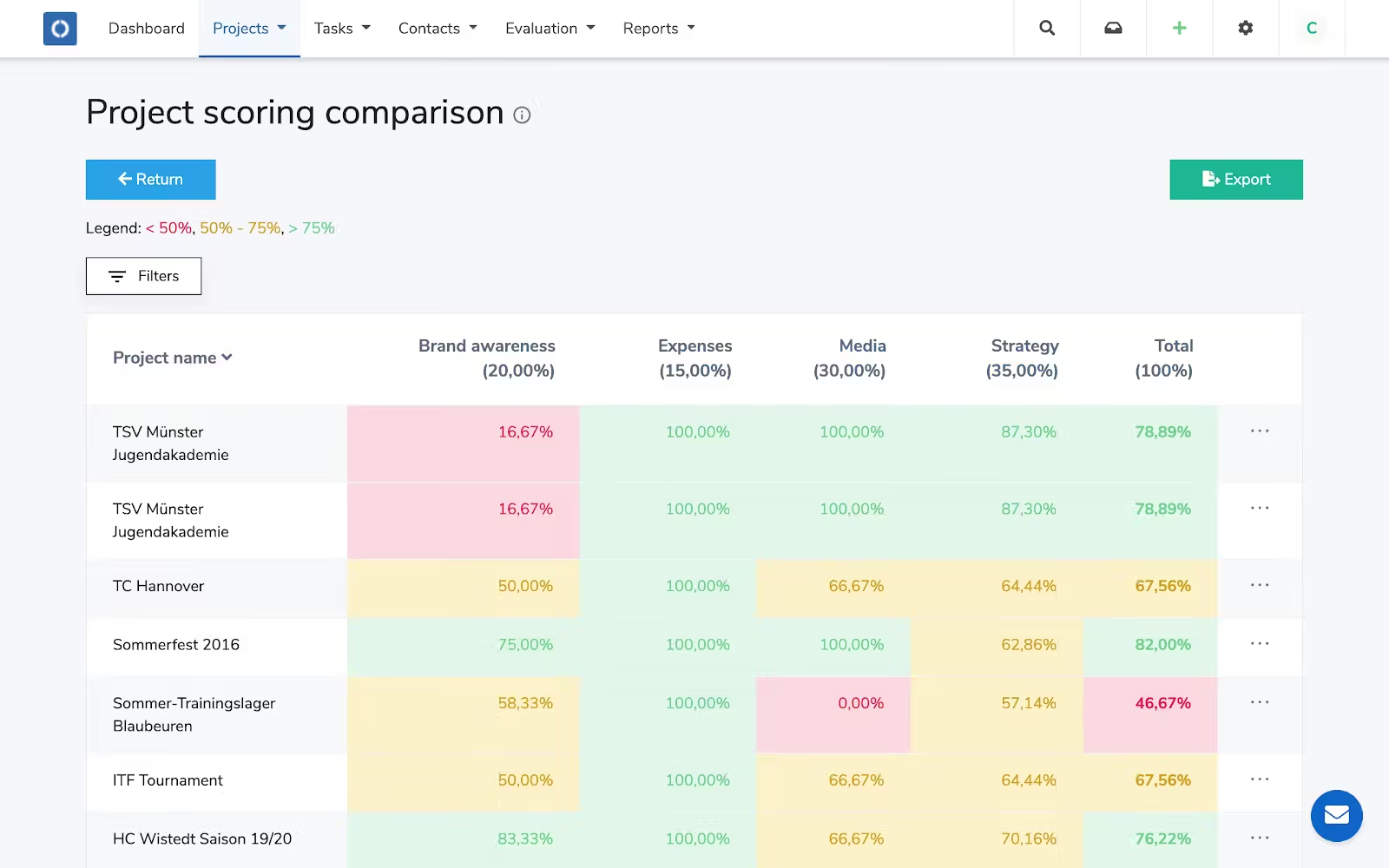
You might come across two terms: “grant manager software” and “grants manager software.” These are often used interchangeably, and in practice, there isn’t a big difference.
- "Grant manager software" might refer to tools for individual project managers or single-grant tracking.
- "Grants manager software" implies a system for organizations handling multiple grants and users.
In reality, most modern platforms handle both needs. The key is understanding your context: if you need a platform to manage multiple users, departments, and projects, ensure the solution supports that level of complexity. If you’re a solo grant manager focusing on one project at a time, a lighter-weight tool might suffice.
Knowing the scope of your needs will help you choose the right terminology and product, but rest assured that any top grant management system in 2026 will scale from individual project tracking to organization-wide grant portfolio management.
How Does a Grant Management System Impact Your Corporation or Corporate Foundation?
A grant management system can have a transformative impact on your organization’s effectiveness.
- Centralizes all grant information: With everything in one hub, you can track project progress in real-time, and anyone on your team (or relevant stakeholders) can access up-to-date information instantly. This level of organization means nothing gets lost, and collaboration is much smoother.
- Reduces administrative work and ensures compliance: A good system provides automated reminders that ensure you meet reporting deadlines and follow all funding guidelines. All activities and changes are logged, creating an audit trail that makes compliance and monitoring much easier. Without a centralized system, organizations risk missing critical compliance requirements or losing documentation; for example, a missing audit trail can cause delays during external reviews and increase the risk of non-compliance. By having proper software in place, you maintain transparency and accountability at every step.
- Makes it easier to demonstrate impact to stakeholders: You can create reports effortlessly (sometimes with one click) and show exactly how funds are being used and what outcomes are achieved. This is crucial for justifying continued funding or for corporate foundations to show ROI on community investments.
The bottom line: a grant management system leads to better projects, more funding opportunities, and more time to focus on your mission, instead of on paperwork.
Who Really Needs Grant Management Software?
Grant management software can benefit a wide range of organizations, corporations and corporate foundations that handle grants or funding programs. Here are the main groups that should consider using it:
Companies with Social Impact Projects: Simplifying Management
Corporations and corporate foundations that run social impact or Corporate Social Responsibility (CSR) programs often provide grants or donations to:
- Nonprofits
- Community organizations
- Research projects
These companies face similar administrative challenges as any grantmaker. Without software, managing applications, approvals, budgets, and outcomes across potentially dozens of corporate grants becomes a logistical headache.
Grant management software simplifies the entire process for corporate giving programs:
- Collecting grant applications (e.g., from nonprofits applying for corporate grants)
- Streamlining the review and selection process
- Tracking funding outcomes
It also ensures accountability and compliance in all funded projects.
For example, a large company might have an employee-driven grants program or a corporate foundation funding multiple initiatives. Using a centralized platform means the company can easily vet applicants, monitor how funds are spent, and report the results to executives and stakeholders. This not only improves efficiency but also provides better oversight.
In fact, companies switching from email and spreadsheets to a dedicated system see improved efficiency and better compliance oversight: manual coordination via spreadsheets can lead to missed deadlines and errors, whereas software provides audit trails and ensures consistency.
Moreover, businesses can tie their grant outcomes to broader CSR goals. Grant management tools allow companies to measure the social impact of funded projects and align grants with corporate strategic objectives.
Overall, if your company is investing in community projects or philanthropic grants, a grant management system is key to scaling those programs and proving their value.
Solution for Educational and Research Institutions: Optimizing Academic Projects
Educational institutions (like universities) and research organizations often rely on grants to fund various projects and research initiatives. These can range from scientific research grants to educational program funding. Managing all those grants manually can be highly complex: each project may have different reporting requirements, timelines, and budget restrictions.
A grant management software tailored to academia helps by providing tools to:
- Track project progress
- Manage multiple budgets
- Automate the required reporting for each grant
For instance, a university’s research department might handle grants for different labs or studies. A good system will let them track each project’s milestones, ensure that spending stays within each grant’s budget, and generate reports for each funding source (and for institutional oversight).
It also aids compliance, as research grants often come with strict conditions and audits. In short, educational and research institutions benefit from grant software by gaining organization and oversight across all their projects – something that’s hard to achieve with scattered documents.
Nonprofit Grant Management Software: Why Do Nonprofits Benefit?
Nonprofits frequently juggle multiple grant projects simultaneously, each with its own application deadlines, outcome metrics, and reporting obligations. They also operate with limited staff and tight budgets. Grant management software is a game-changer for nonprofits because it helps:
- Streamline these processes
- Reduce administrative costs
- Improve compliance
- Free up time and resources to focus on the nonprofit’s mission
Instead of spending hours updating spreadsheets or manually compiling reports for each funder, nonprofit teams can use a single platform to manage all grants.
Some specific benefits for nonprofits include:
- Centralized data: Grant proposals, contacts, and documents are all in one place.
- Automated reminders: So they never miss a deadline or report.
- Report templates: Ensuring they meet each funder’s requirements.
By improving efficiency and transparency, a nonprofit can actually pursue more grants or manage larger grants without needing proportional increases in admin staff. Additionally, compliance is a big deal for nonprofits – grants often come with rules that if not followed, could jeopardize funding. Software helps by keeping an audit trail and making sure nothing falls through the cracks. All of this means more of the nonprofit’s energy (and funding) can go toward its programs rather than overhead.
Grant Management Software for Government: Transforming Public Management
Government agencies (and public sector grant-making bodies) manage a huge number of grant programs, from federal funding programs to local community grants. They have to ensure operations are transparent (for public accountability), highly compliant with regulations, and efficient despite large scale.
A grant management system is practically essential in the government context. It provides a secure, centralized platform to handle everything from:
- Accepting grant applications
- Reviewing them (often by committees)
- Tracking disbursement of funds
- Monitoring outcomes for compliance and impact
One example is a state government department that provides grants to local organizations: a software platform can enforce standardized processes, ensure all necessary documentation is collected, and generate required reports for oversight bodies. Importantly, it makes data-driven decision-making easier – government grantmakers can analyze which programs are most effective or ensure funds are distributed according to policy goals.
Many government agencies also integrate grant software with financial systems to track budgets, and with compliance checks to meet audit requirements. In summary, for the public sector, a robust grants management system increases transparency and trust (since everything is logged and reportable) and helps deliver public funds more effectively to where they’re needed.
What Are the Essential Features of a Grant Management System?
Every platform in this comparison covers the same core: application intake, evaluation and scoring, budget tracking, reporting, workflow automation, and compliance with an audit trail. What separates them is depth — how far the scoring can be configured, whether budgets reconcile in real time, and how much of the process runs without manual chasing.
We break down each feature and what it actually does for a funding team in our full guide: Grant Management System: The Ultimate 2026 Guide.
Contact us or request a demo to stop wasting time on spreadsheets— and start managing grants with speed and clarity.
How to Choose the Best Grant Management Software For Your Situation?
Six questions separate a good shortlist from a regret. Ask every vendor, including us:
- Can it handle your actual workflow, not a simplified version of it? Ask to see your most complicated programme configured.
- What does the applicant see? Complete an application yourself, on a phone, in a second language.
- Will it satisfy your auditors? What the audit trail records, where data is hosted, what happens if you leave.
- Does it connect to what you already run? Confirm integrations exist today, not on a roadmap.
- How long until you are live, and who does the migration work?
- What does it cost over three years, including adding a programme or a country later?
The longer version, with what to look for in each answer, is in our Ultimate 2026 Guide.
Simplify Grant Tracking: How Can Software Help?
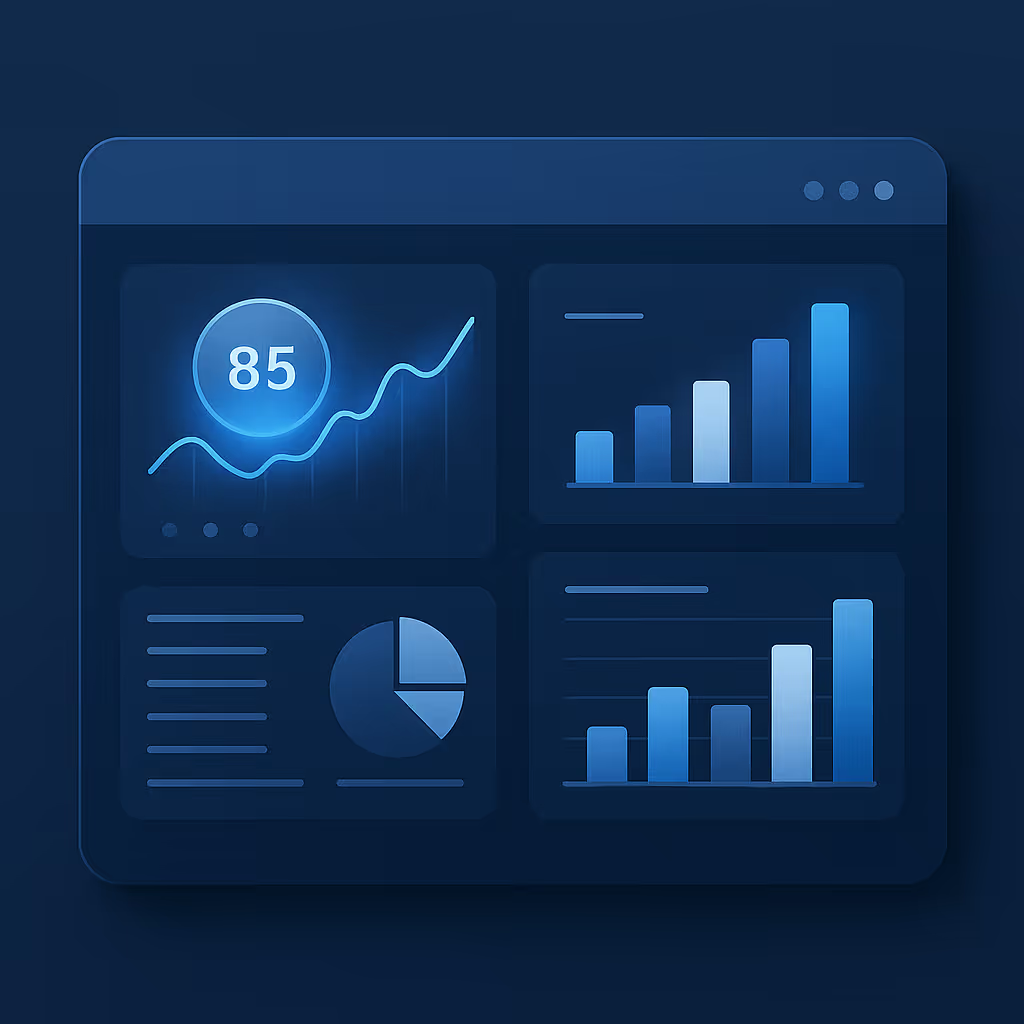
Grant management software isn’t just about handling applications and decisions—it also dramatically simplifies ongoing grant tracking and oversight. Once your grant program is up and running, here are some of the ways software helps day-to-day management:
Centralization of Information: Quick and Easy Access to Everything
A good grant management software provides a single source of truth for all grant-related information.
All your grant documents, data, and communications are stored in one central location (usually cloud-based), making it easy for stakeholders to access what they need when they need it.
For example, rather than hunting through folders for the latest project report or digging through emails for that one attachment, you can go into the grant’s profile on the software and find everything from the original proposal, the signed agreement, progress reports, budget files, to email history.
This centralization means less time wasted searching and more time acting on information. It also ensures everyone is looking at the same up-to-date data, which improves collaboration among program officers, finance staff, and leadership.
In summary, all critical information is at your fingertips, which speeds up decision-making and reduces miscommunication.
Automation of Processes: Reduce Time and Effort
As touched on earlier, automation is a core strength of grant management software. By automating repetitive and labor-intensive processes, the system reduces the time and effort required from your team. This can include tasks such as:
- Automatically moving applications to the next stage when criteria are met.
- Sending out notification emails to applicants (e.g., “Your application has been received” or “Congrats, you’ve been selected”).
- Generating template reports at scheduled intervals.
- Even automating parts of the review (some advanced systems might auto-check an application for completeness or eligibility).
Reducing manual tasks not only saves time but also minimizes errors (since a well-configured system will do the same task consistently every time).
Consider an example: without software, a grants manager might have to manually track deadlines on a calendar and email each grantee when their report is due. With software, you can set all those deadlines in the system and it will automatically send reminders to grantees and alert you if a deadline is missed.
Advanced platforms now even offer AI-driven assistance: for instance, using AI to summarize large text-heavy grant reports or to flag potentially problematic entries (like a budget that doesn’t add up). While AI in grant management is still emerging, it’s a promising area that can further reduce human effort in tasks like reviewing applications or monitoring compliance.
Ultimately, every piece of the process that can be automated by your software is one less thing you have to worry about, allowing you to focus on strategic work like program improvement or relationship-building.
Deadline Management and Notifications: Never Miss a Deadline
Grant timelines can be very unforgiving—missing an application deadline or a reporting due date can have serious consequences (lost funding or non-compliance). Grant management software excels at deadline management. You can input all key dates into the system, such as:
- Application due dates
- Committee review meetings
- Award announcement dates
- Report due dates
- Renewal reminders
The software will then actively keep track of these and send automated notifications to the relevant parties. For instance, a month before a grantee’s final report is due, the system might send them an email reminder, with another reminder a week before the due date. Similarly, your internal team can get notifications like “Review period ends tomorrow, 2 applications still unscored.” These alerts can usually be customized (who gets them, how often, etc.) so they fit your workflow.
By never missing a deadline, you stay on top of all grant obligations. This protects your organization’s reputation and ensures grant funds are managed properly. In addition, having a clear calendar of all grant activities within the software provides a visual timeline for planning – you can see when busy periods will be, and plan resources accordingly.
Many systems also integrate with calendar apps (like Outlook or Google Calendar), so deadlines can appear there as well. In short, the software acts as your personal grant deadline assistant, making sure nothing slips by unnoticed.
Effective Collaboration: All Parties Connected
Grantmaking is a team effort. Whether it’s internal colleagues or external stakeholders like grant reviewers and partners, collaboration is key. Grant management platforms facilitate collaboration by connecting all parties in one environment. Instead of siloed conversations, everyone can comment or provide input directly in the system. For example:
- Reviewers can log in to score applications and leave notes; all of their feedback is collected in the software for the program manager to see in real-time.
- Team members can tag each other in comments or updates (depending on the software’s communication features) to ask questions or highlight something.
For external stakeholders, some software provides grantee portals where grantees can log in to submit reports or updates, and communicate back to the grantor. This keeps correspondence organized and tied to the specific grant record. Everyone stays on the same page because the latest information and discussions are accessible to those who need them.
Additionally, with role-based permissions, you can ensure each collaborator sees just what they should: for instance, a reviewer might only see anonymized applications and not financial info, whereas a finance officer sees budget sections, etc.
The net effect is enhanced transparency and teamwork: decisions are better informed, responses are faster, and the whole grant program runs more smoothly when all parties use a shared system.
How Much Does Grant Management Software Cost and How to Choose the Best Value for Money?
Most vendors in this category price per year based on the number of programmes, users and modules rather than per seat, and most do not publish figures — Bonterra is one of the few with public tiers. Expect the licence to be roughly half of the real three-year cost: implementation, data migration, training and support make up the rest.
Our full breakdown of pricing models and the factors that drive cost up is in the Ultimate 2026 Guide.
Implementing Grant Management Software: A Step-by-Step Guide to Success
After selecting grant management software, the next challenge is implementing it successfully. A smooth implementation ensures you start reaping the benefits quickly and that your team actually adopts the new system. Here’s a step-by-step guide to make your implementation a success:
1. Define Your Goals and Objectives: Start with a Clear Plan
Before diving into the technical setup, clarify what you want to achieve with this software. Identify your main objectives and the problems you’re trying to solve. For example, your goals might be:
- “Reduce time spent on grant reporting by 50%”
- “Eliminate missed deadlines”
- “Be able to handle 30% more grant applications next year”
Having clear goals will guide the configuration of the system and give you metrics to measure success later. Also determine the scope of implementation: which programs or departments will use it first? Will you roll it out to all grants at once or phase it in?
A clear plan at the outset is like a roadmap – it keeps everyone focused and aligned. Document these goals and share them with your team and with the software vendor’s implementation specialist (if they provide one). This way, all parties know what a “successful implementation” looks like.
2. Choose the Ideal Solution (if not already done): The Software that Meets Your Needs
This step is essentially the selection process we covered earlier, but if you’re at implementation, it means you’ve chosen a solution. Still, during early implementation, you should confirm that the configuration of the software is aligned with your needs.
Work closely with the vendor to map your requirements to how the system will be set up. For example, decide on what fields you need in application forms, what the workflow stages will be called, and what reports you need built.
Most modern grant management systems are quite configurable, so take advantage of that to tailor it. If during this phase you realize a certain need isn’t met, discuss possible workarounds or integrations.
This is also the time to compare how you did things before with how you’ll do them in the new system, and identify any gaps. Be thorough in this planning, because a well-configured system will fit your processes like a glove, whereas a rushed or out-of-the-box setup might not deliver the full value.
Don’t be afraid to lean on the vendor’s experience here – ask them how other similar clients configured the system, or what they recommend for your situation.
3. Train Your Team: Capacity Building for Maximum Use
No software, no matter how great, will be effective if users don’t know how to use it. Training is a critical step in implementation. Develop a training plan that covers all user groups:
- Grant managers
- Reviewers
- Finance officers
- Leadership (who might just view dashboards)
- Even external users if applicable (like grantees using a portal)
You might do live training sessions (via webinar or in-person) where you walk through key tasks in the system. Many organizations also create a simple user guide or record the training for future reference. Encourage hands-on practice: perhaps create a sandbox environment where staff can try out the system with test data without fear of messing up real records.
Make training engaging – focus on how the software makes their work easier, not just on technical details. Highlight features that directly address pain points (e.g., “Remember how we used to consolidate spreadsheets for hours? Here’s how this report does it in 5 seconds.”).
Also, utilize the resources provided by the vendor: they might have webinars, tutorials, and an online help center. Some even have certification programs for administrators. Ensure at least one or two people on your team become the internal “experts” – they get extra training and can act as the first line of support for others. The goal is to build confidence and enthusiasm among users, so when you go live, everyone feels prepared and maybe even excited to use the new tool.
4. Migrate Your Data Safely: Seamless Transition
If you have existing grants data (which you likely do, even if it’s in Excel or legacy systems), you’ll need to migrate that data into the new software. This step must be done carefully to ensure data integrity.
- Start by deciding what data to bring over. You might not need to import everything from the past 10 years – perhaps just active grants and the last couple of years for reference.
- Work with the vendor on import templates; typically, you’ll format your data to match the system’s required fields and then upload it.
- Double-check that all critical fields (grant names, contacts, amounts, dates, etc.) align correctly.
During migration, plan for verification. It’s wise to import a small sample first, verify it looks correct in the system, then proceed with full import. After migration, have users spot-check random records: is the information complete and accurate? Look out for any encoding issues, missing entries, or incorrect field mappings (for instance, the “Program Officer” field from your sheet ended up in the “Organization” field by mistake – those things can happen if mapping is off).
Ensure that attachments or documents related to grants are also transferred or linked, if needed.
Data migration is also a good time to do some cleaning: remove duplicate entries, update old contact info, and generally start fresh with high-quality data in the new system. Remember that whatever you import will be the data your team relies on, so it’s worth the effort to make it right.
With a seamless data transition, users will have continuity – they can find their ongoing grants in the new system without confusion.
5. Configure and Integrate Your System: Maximize Its Potential
Once data is in and users are trained, do a final configuration pass and set up any integrations with other systems. Configuration might include:
- Setting user permissions (who can view/edit what).
- Customizing dashboards for different roles.
- Setting up automated email templates with your branding.
- Configuring any compliance settings or approval rules.
Essentially, ensure the system is fine-tuned to match your processes and preferences.
Integration is about connecting the grant management software to other tools for a seamless workflow. For example, integrate with your email/calendar so that grant-related communications and deadlines sync up. Or integrate with your accounting software to automatically send payment info when grants are approved.
If you use a CRM or donor database, integration can link grants to donor profiles or vice versa, giving a 360-degree view of engagement. Some integrations are out-of-the-box (just need an API key or enabling a plugin), while others might require using the software’s API with some developer help.
The effort is usually worth it: integrations prevent double data entry and reduce errors, ensuring your new grant system doesn’t become an “information island.”
After everything is configured and connected, do one more round of testing – perhaps run a mock grant cycle in the system: from creating a dummy application, moving it through stages, recording a decision, and generating a report. This end-to-end test can reveal any final adjustments needed.
Finally, you’re ready to go live. Launch the system for active use, and let stakeholders know about the new process (for example, if applicants need to use a new portal link). Monitor closely in the first few weeks and encourage feedback. With these steps completed, you’ve set a strong foundation. Your team now has a powerful tool at their disposal and can start enjoying the efficiency and organization that good grant management software brings.
How to Manage a Grant Program?
Implementing a software solution is a huge help, but it’s also important to understand the fundamental steps to manage a grant program effectively. Whether you’re running a corporate grants program or a foundation’s funding initiative, here are the key steps and best practices for managing a grant program from start to finish:
- Plan the Program Strategy: Begin by clearly defining the goals and scope of your grant program. Determine what impact areas or objectives the grants will support, the total budget available, and the eligibility criteria for applicants. Establish the timeline (application period, decision dates, project duration) and the team roles (who will manage the program, who will review applications, etc.). A well-defined plan ensures the program is aligned with your organization’s mission and sets everyone’s expectations from the outset.
- Design the application process and manage submissions: Create clear application forms and guidelines that collect everything you need to decide, without overwhelming applicants. Publish your instructions, deadlines and required documents, then promote the opportunity through the right channels. Once submissions open, keep every application recorded and organised, and assemble your review committee with a consistent scoring rubric so proposals are evaluated fairly against the same criteria. (For a step-by-step walkthrough of designing intake and review, see how to build a grant application process that works.)
- Collect and Review Applications: Once the application window opens, manage the inflow of applications. Ensure all submissions are recorded (this is seamless if done through a software system). As the deadline passes, organize the review process. Assemble your review committee or decision-makers and provide them with the evaluation criteria. It’s often useful to have a scoring rubric to rate each application on key factors (impact, feasibility, budget, etc.). Each reviewer should go through their assigned applications and document their feedback or scores. Then, convene a review meeting (or use the software’s aggregate scoring reports) to discuss and select the top candidates. Maintaining fairness and consistency at this stage is crucial – stick to the criteria and avoid conflicts of interest (reviewers should recuse themselves if any exist).
- Award and Announce Grants: After deciding which projects to fund, formally notify the winners and the non-winners. It’s best practice to congratulate successful grantees and inform unsuccessful applicants graciously (perhaps offering feedback or encouragement if appropriate). Next, execute grant agreements or contracts that outline the terms of the funding (amount, payment schedule, reporting requirements, etc.). If your organization requires it, perform due diligence on grantees (such as verifying their nonprofit status or ensuring compliance checks). Then, disburse the funds according to the agreed schedule – some grants might be paid in one lump sum, others in installments tied to milestones. Make sure to record all payments. Publicly announcing the grants (via a press release or on your website) can be a good way to highlight the initiative’s impact and give recognition to recipients, unless privacy is needed.
- Monitor Progress and Support Grantees: Once projects are underway, effective grant management involves ongoing monitoring. Maintain communication with grantees – check in on their progress, and let them know you are available for support or questions. Collect interim reports if required. Many programs will have grantees submit periodic updates or financial reports. Review these to ensure projects are on track and funds are used appropriately. If a project is facing challenges, be proactive: sometimes timelines need adjusting or budgets reallocated (within reason), and your flexibility can help the grantee succeed. Document any changes formally (via contract amendments or written approvals) to keep everything clear and compliant.
- Evaluate and Report on Outcomes: As grants complete, gather final reports from grantees detailing their outcomes and how the funds were used. Evaluate these results against the goals set out in the beginning. Internally, assess the program’s overall success: Did it achieve the desired impact? What stories or data came out of it that can be shared? Often, grant managers will compile an internal report or dashboard for their leadership or board, summarizing the program’s reach (e.g., number of applications, number funded), the impact (e.g., people served, deliverables achieved), and learnings. Ensure you also fulfill any reporting requirements to funders or regulators if your grant program is funded by another entity (for instance, a corporate foundation might need to report outcomes publicly or to its company leadership). Good software will assist in this stage by making data aggregation easier and providing visuals for impact reporting.
- Conduct Compliance and Audit Checks: Throughout and at the end of the program, verify that all activities complied with relevant regulations and your own policies. This includes financial compliance (were funds spent as agreed, with receipts/invoices on file?), legal compliance (were all projects lawful and did they align with IRS or other regulatory guidelines?), and procedural compliance (did we follow our own stated process fairly?). If an audit (internal or external) is part of your world, prepare the documentation they would require – thanks to your systematic management, you should have application records, review notes, grant agreements, payment records, and reports all organized (especially if using the software, much of this is stored and easy to retrieve). Address any issues found and incorporate those lessons to improve future cycles.
- Provide Recognition and Closure: Recognize the hard work of grantees and celebrate the successes of the program. This might involve sharing success stories in your annual report or on your website, or hosting a wrap-up event or webinar where grantees can present their work. Recognizing achievements not only honors the grantees but also showcases the impact of your grant program to the wider community or stakeholders. Finally, officially close out the grant files: ensure all reporting is received and approved, and mark grants as closed in your system.
- Gather Feedback and Reflect: After completion, gather feedback from various participants – grantees can provide perspective on the application process and any challenges faced, reviewers can share what went well or not in the selection process, and your internal team can discuss operational lessons. Perhaps surveys or debrief meetings can be used. This feedback is gold for continuous improvement. Maybe applicants found some questions confusing, or staff felt the timeline was too tight – you can adjust these in the next cycle.
- Plan Next Cycle (Continuous Improvement): Grant programs are often recurring (annual or ongoing). Use the insights gained to refine your next grant cycle. Update your goals if needed, tweak the application or criteria, improve communication materials, or further automate parts of the process if you discovered inefficiencies. Each cycle of a grant program is an opportunity to improve its impact and efficiency. If your program is one-time, these reflections will still be valuable for any future programs or for knowledge sharing in your organization.
By following these steps, you ensure that your grant program is well-managed from start to finish. Managing a grant program is both an administrative and a strategic endeavor – you need to keep all the details in order (where the software greatly helps) and also keep sight of the bigger picture of what the grants are achieving. Combining good management practices with a robust software tool will set you up for success and maximize the positive impact of your grant program.
10 Best Practices for Optimizing the Use of Your Grant Management Software
Implementing grant management software is just the beginning. To truly reap the benefits, follow these best practices to optimize how you use the system day-to-day and year-to-year. Here are 10 best practices to ensure you’re getting the most out of your grant management software:
By following these best practices, you ensure that your grant management software remains a powerful ally in your work rather than just a static tool. It helps you continuously improve your grantmaking efficiency and effectiveness. In the long run, optimizing software use translates to greater impact: you’ll manage more grants, with better outcomes, using the same or fewer resources.
Conclusion
Grant management software is an essential solution that allows organizations to better manage their grant programs and maximize their impact. By implementing the practices and guidelines in this article, you can significantly improve efficiency, enhance transparency, and make more strategic use of your resources. From understanding the key features and choosing the right platform, to answering common questions about costs and best solutions, we’ve covered how you can leverage these tools to streamline every aspect of grant management.
Remember that successful grant management isn’t just about software—it's also about the processes and people using it. But when you combine a capable team with a powerful, well-optimized platform, you create a grantmaking engine that drives meaningful results. Whether you’re a corporate foundation ensuring compliance and ROI on community investments, or a nonprofit aiming to do more with limited staff, the right software paired with best practices can elevate your grant efforts to new heights.
Optimy goes beyond basic grant management, offering a customizable platform as well as the tools and support to transform your process. If you’re looking to simplify and supercharge your grant programs, we invite you to explore what Optimy Grant Management Software can do for you.












.png)
%201.png)
%201.png)